
Vibrations
Last updated February 9, 2026
Pebble offers the ability to personalize your watch's vibration to distinguish between Notifications, Incoming Calls, and Alarms.
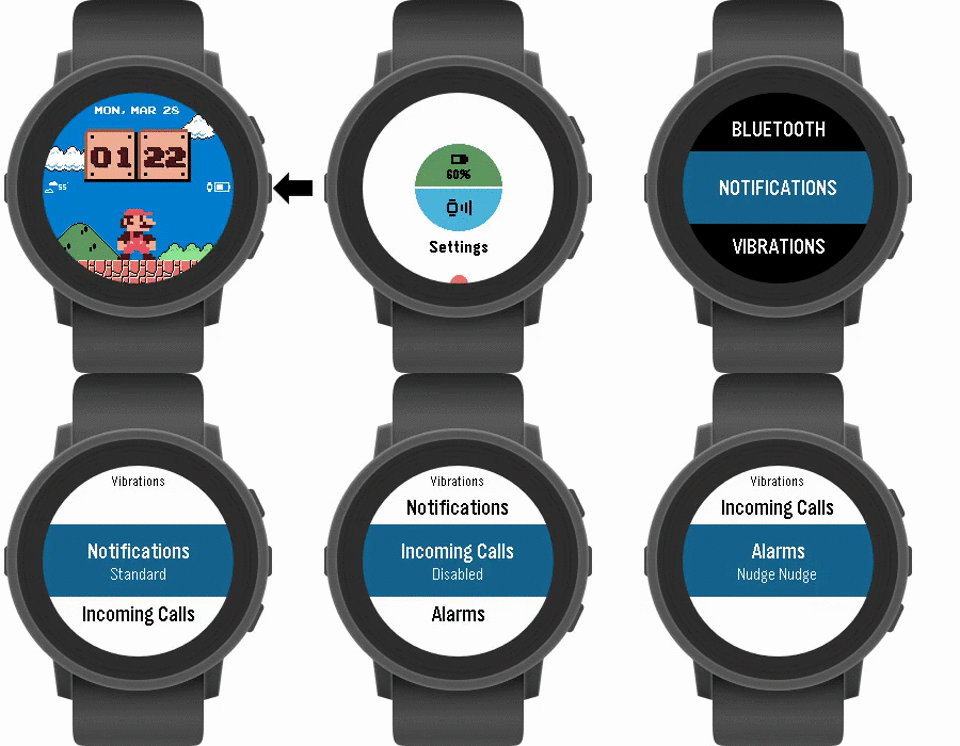
To edit your Vibrations:
- Go into the Settings on your watch.
- Select Vibrations.
- Go to any category (Notifications, Calls, and Alarms) you'd like to customize the vibration for.
- Press the Select button to scroll through the vibration patterns. You will feel a preview of each one when you select it.
Please note:
- The "Standard" vibration is what has previously been used for all notifications.
- "Nudge nudge" is the default setting.
- You cannot "disable" the vibration for the Alarms.
- The vibration options may vary between watch models.