
Voice
Last updated February 9, 2026
Your Pebble allows you to take advantage of STT (speech-to-text) to transcribe your voice for use in notification replies, watchapps, and more.
Where is my Pebble's microphone?
Depending on your watch, or its configured orientation, your Pebble's microphone will be positioned on either the left or right side of the unit. Pebble Time 2 and Round 2 have two microphones, one positioned on each side of the watch.
Please do NOT insert any sharp objects into he microphone hole as it may damage the water resistant membrane or the microphone itself.
How do I enable the microphone?
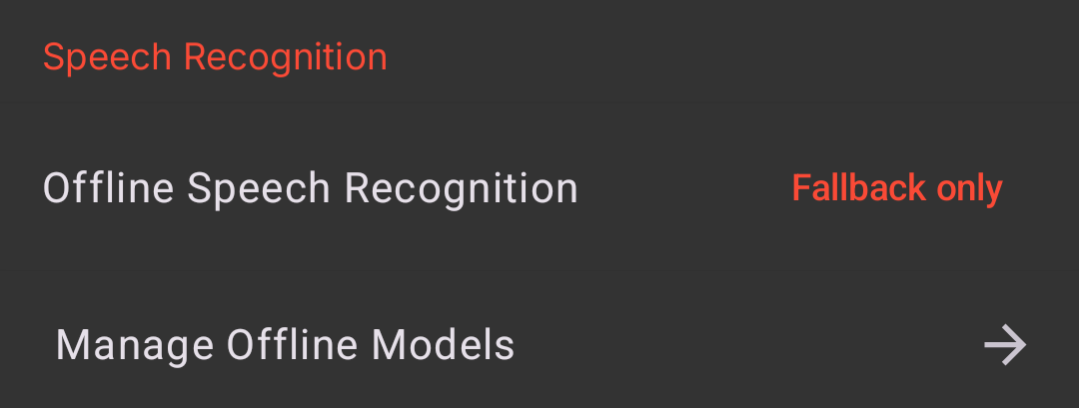
To make use of the microphone(s) on your Pebble, you must first enable speech recognition in the Pebble app. With the app open, head to Settings -> Speech Recognition. Here, you can choose to use our cloud speech-recognition servers (Fallback only) or an on-device (Forced) model.
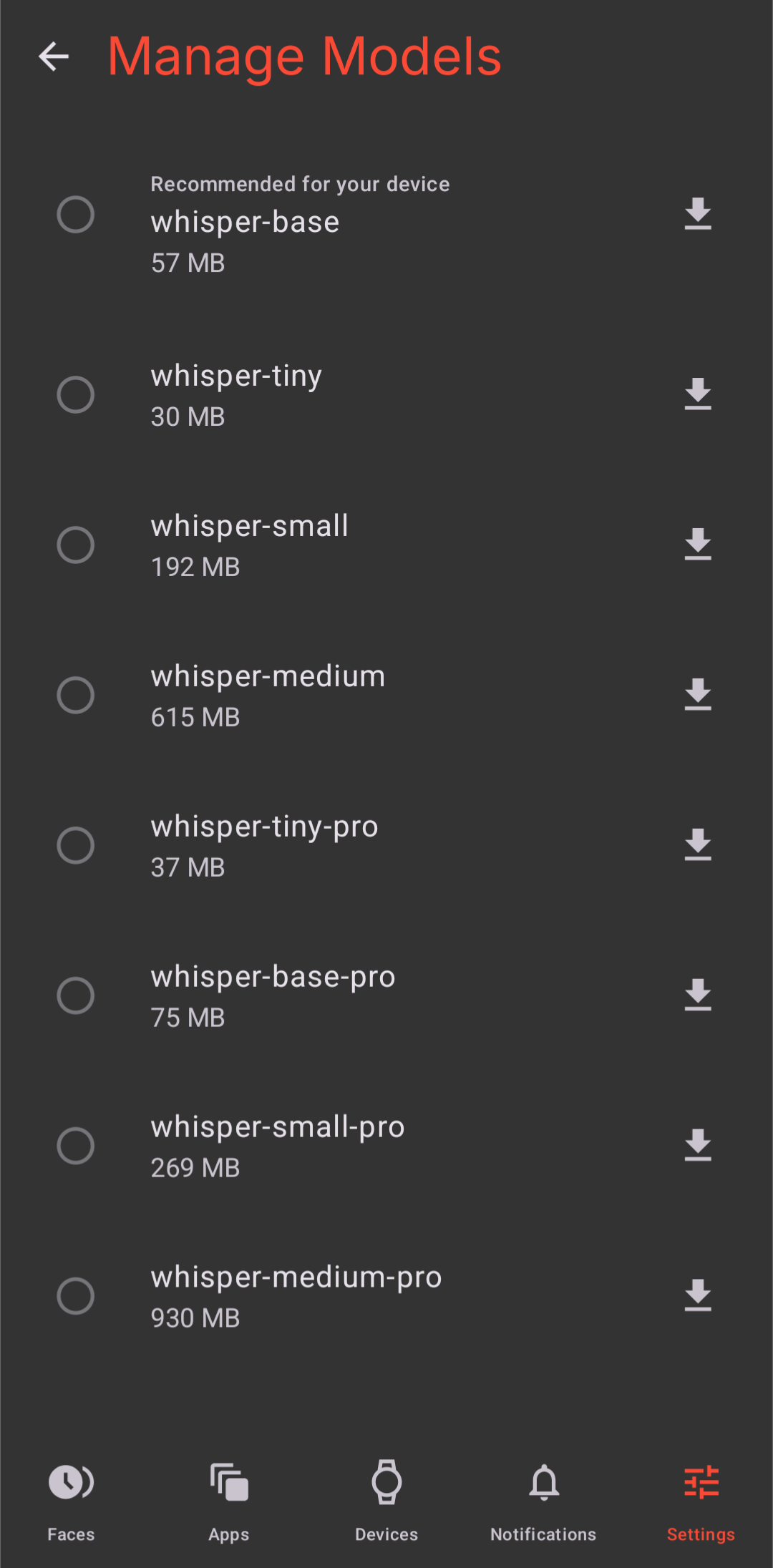
To manage offline speech models, tap "Manage Offline Models" to view the list of available options.
Note: smaller models, such as whisper-base, may provide less accurate transcription compared to whisper-medium-pro
How do I use the microphone?
Note: due to limitations imposed by iOS, replies to notifications (including voice-to-text) is only available on watches paired to Android phone.
When you receive a notification, press the selection button to reveal the actions available. Select Reply > Voice and begin speaking when you see a red circle appear. For best results, the watch should not be held more than 18" away from your mouth. Be sure to compensate for a noisy background as well.
Pebble will begin transcribing your message to text either when it detects that you have finished speaking or after 6 seconds, whichever happens sooner. The 6 second limit is to help prevent unnecessary battery drain.
Current Limitations
Pebble Time, Time Steel, Time Round, and 2/2Duo only have one microphone. Because of this, there's no native noise cancellation. However, we have designed Voice to work in a variety of environments and we've found it to be responsive and accurate even with moderate background noise and held 12-18" away.
Languages
The new Pebble app supports up to 99 languages for speech-to-text capabilities.
Tips
- While Pebble will transcribe capitalization correctly, we will need your help with grammar. You will need to say the punctuation that you'd like in your message. E.g. For a message to look like, "Hey, how are you?", you will need to dictate, "Hey comma how are you question mark".
- Hold Pebble Time so that the microphone hole (beneath the navigation buttons on the right side) is angled towards and within 4-18" of your mouth.
Troubleshooting
If you're experiencing trouble with your voice replies / microphone input, please try the following:
- Make sure you've enabled voice recognition in the Pebble app.
- If you're not getting accurate results, try using any of the "-pro" fallback models in the "Manage Offline Models" menu.
- Pull back any clothing that may act as a barrier and hold the watch closer to your mouth.
- Speak slowly and enunciate.
If you have double-checked the settings and tried the suggestions above without any improvement, please take a short video of what happens when you try a voice reply to a message. Then, submit a bug report with your video and a description of the problem.